Self-hosted · Your providers · Approved connections
AI departments built aroundhow your company works.
Create departments with specialists, instructions and approved tools. Ask in plain English. Get an answer, a validated file or a proposed code change back.
Draft Thursday's launch brief, with the positioning we agreed and sources for the numbers.
- Market ResearcherSource the numbers and cite them
- Content StrategistDraft the brief in our positioning
Compare our five closest competitors and tell me where we win.
- Research AnalystRead the five competitors
- Fact CheckerVerify each claim against its source
Work out why the checkout test keeps failing, fix it, and open a pull request.
- Software EngineerReproduce the failure and fix it
- Code ReviewerReview the diff before it goes out
Seventy-three seconds, end to end.
One request becomes governed work: a department agent thinks, delegates to a specialist, checks primary sources, runs commands in a disposable sandbox, and hands back something that was validated before it reached you. The chat you see working is a recording of the product, not an animation of it.
Illustrative product data · Marketing department shown
Start with a sentence.
Day to day, you can write requests in ordinary language. The department's configured instructions, specialists and skills provide the working context.
When missing information would materially change the result, the agent can ask a clarifying question before continuing.
- SlackDirect messages
- Microsoft TeamsPersonal chats
- Agent FactoryIn the app
Your administrator connects the company once; each person then links their own account.
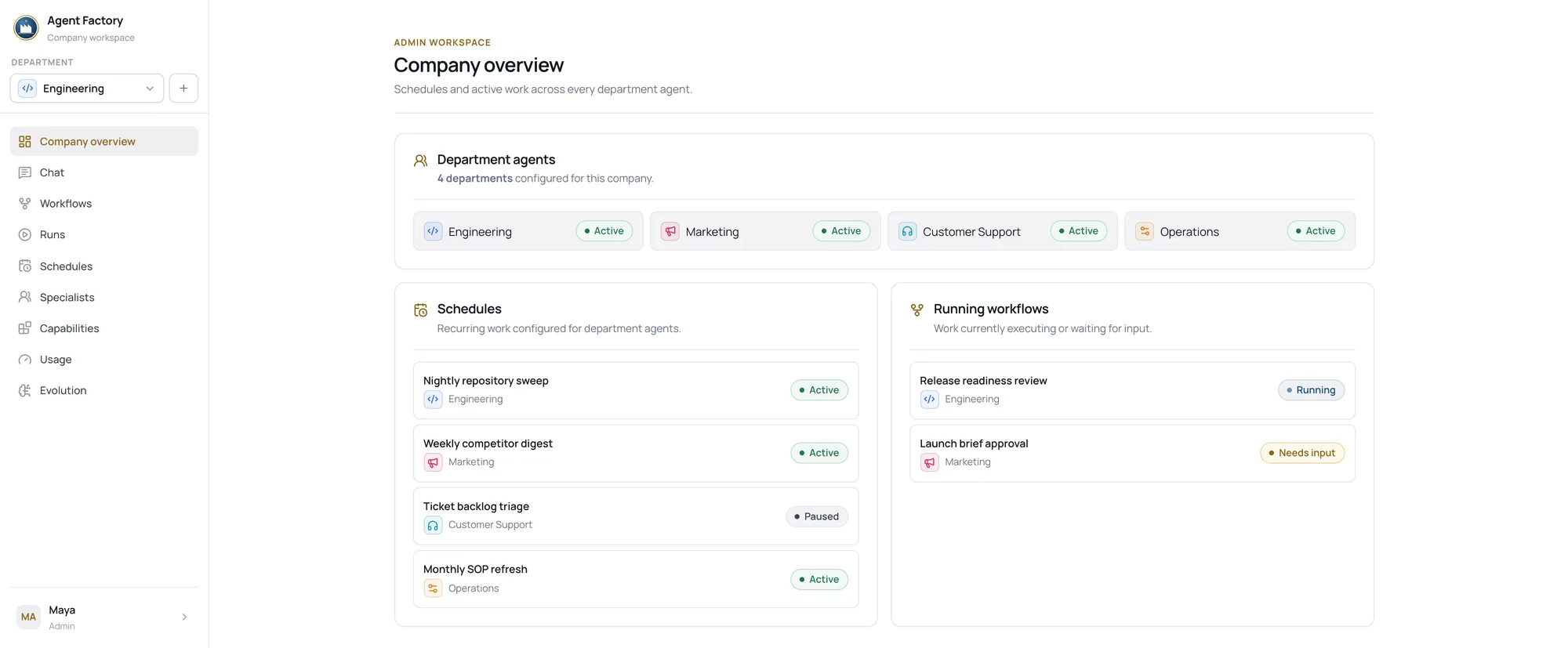
A department, not one generic chatbot.
Each department has its own instructions, model route, enabled skills and specialist roster. The main agent can delegate focused work and return one combined result.
Shared knowledge with visible boundaries.
A department can keep shared memory and reusable skills from its work. Personal preferences stay private to each account, and the Evolution workspace shows what the department has retained.
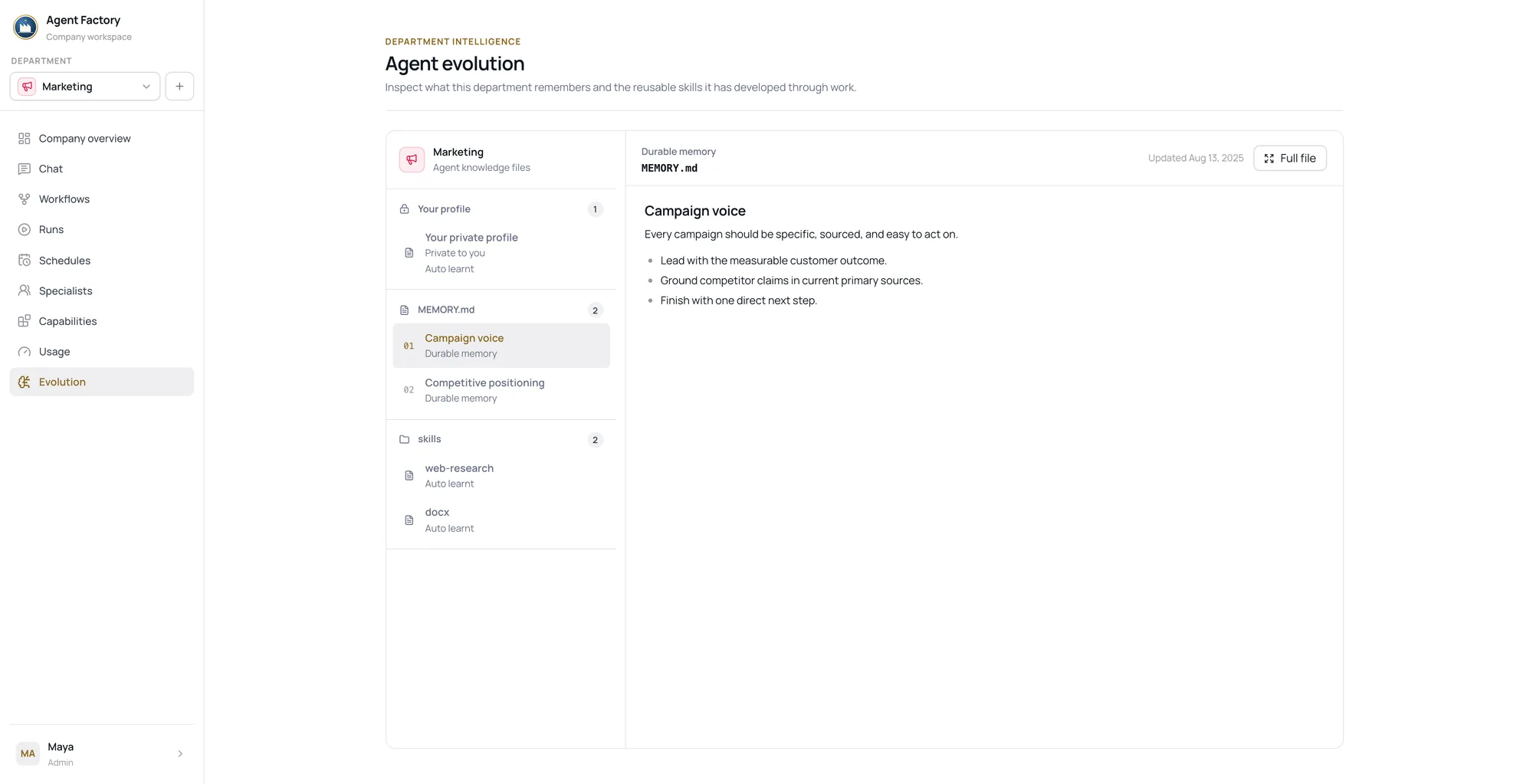
Shared where it should be
Department memory and reusable skills apply to everyone working in that department, not only to the person who saved them.
Private where it should be
Personal preferences are scoped to your own account. They shape your work and stay out of the department's shared knowledge.
Open to inspection
The Evolution workspace shows what the department has retained. Managers manage its reusable skills from Capabilities.
A disposable workspace when the work needs one.
Interactive chats can use a server-side sandbox for code, files and document generation.
The sandbox does not mount the host filesystem and is removed when the turn ends. Files that should remain available must be published.
Published workflows support governed research, generation and specialist delegation. Sandbox-backed code, browser and desktop execution stay in interactive chat.
read competitors-2026.xlsx
five competitors parsed
python compare.py
comparison table written
build board-onepager.pdf
Everything else is removed with the sandbox
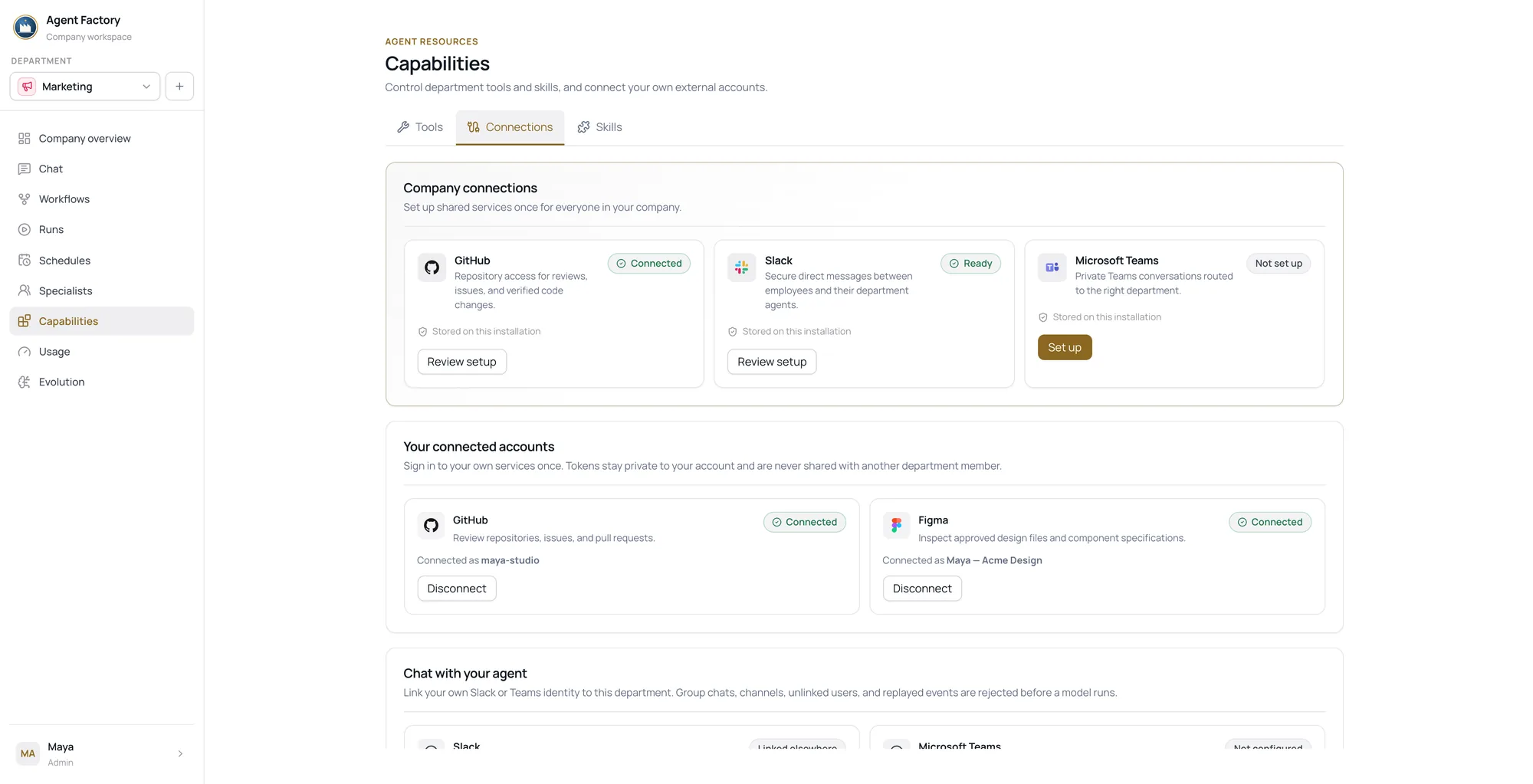
Company and user setup are both required before a connection can be used.
- GitHubUser-scoped connection
- FigmaUser-scoped connection
- SlackDirect messages
- Microsoft TeamsPersonal chats
- Approved custom MCP serversUser-scoped, from your allow list
Turn proven work into a versioned workflow.
Save the steps and instructions, publish an immutable version, then run it manually or on a schedule. Add human input or approval nodes wherever a person needs to decide what happens next.
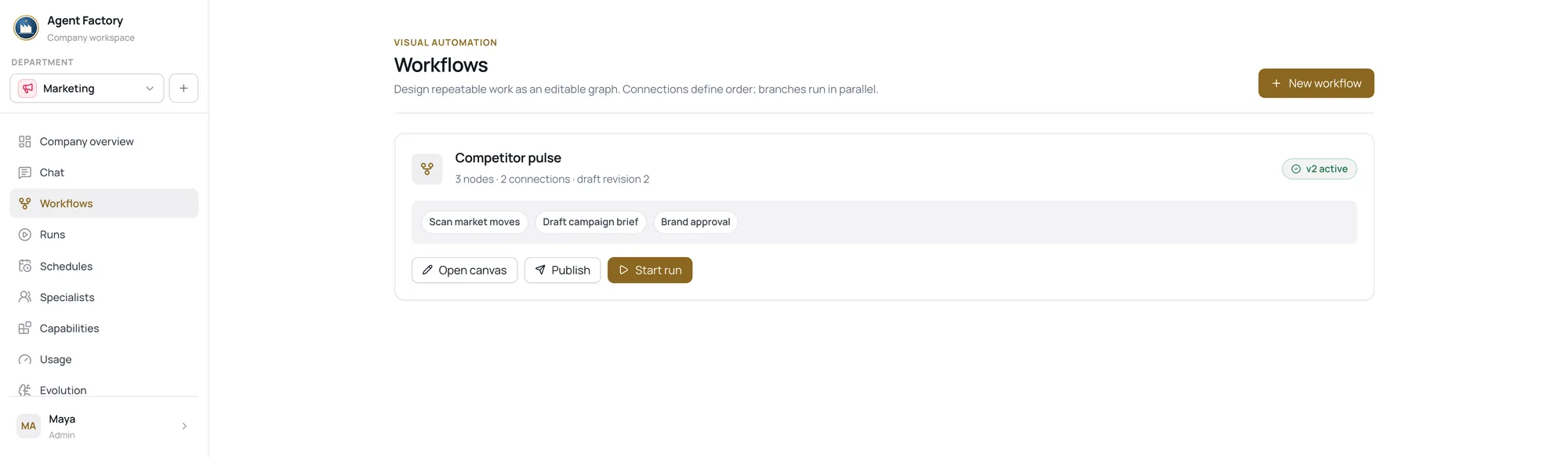
A published version is immutable. Every run reuses the same saved steps, instructions and published version — editing the workflow publishes a new one rather than changing what already ran.
Put an input or approval node anywhere a person needs to decide what happens next. Nothing moves past one until someone does.
Published workflows support governed research, generation and specialist delegation. Sandbox-backed execution is currently limited to interactive chat.
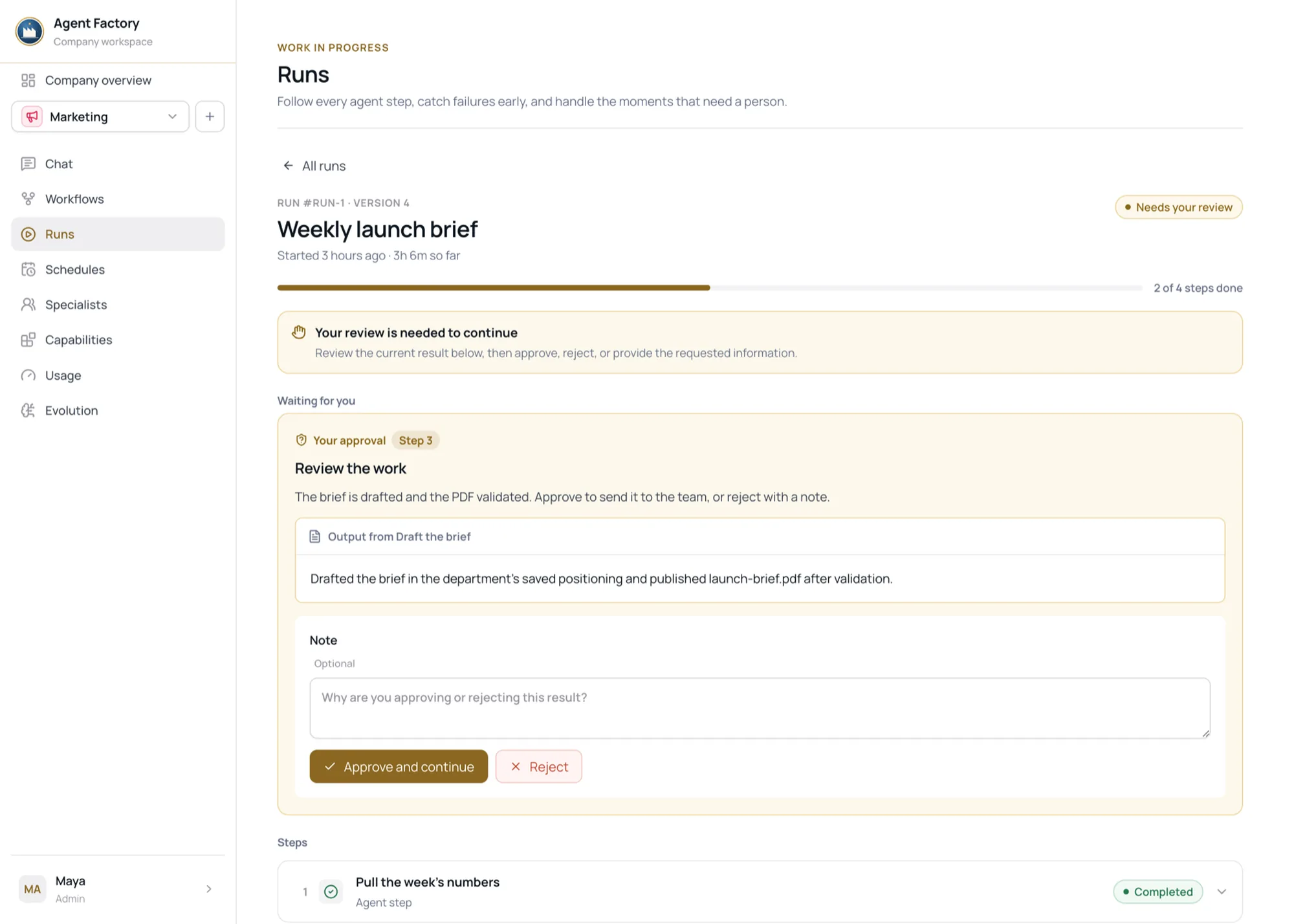
Checked before publishing.
Generated PDFs are checked for structure and rendering. Word, spreadsheet and slide files receive format-specific validation.
Invalid files are refused and reported clearly, rather than silently delivered or automatically retried. You decide what happens next.
- What a department can publish
- PDF · Word
- Available to managed departments
- Spreadsheets · Slides
- Need the relevant enabled skill and the sandbox
- Pull requests
- Need an enabled skill and a GitHub connection
A refused file is reported, and left for you to look at
Any provider. Pinned, not guessed.
Hermes stays the model and credential authority. Agent Factory stores each department's route and pins the exact provider and model into every published version.
Automatic fallback and dynamic routing are deliberately off. A run that used one model cannot quietly become a run that used another, which is what makes an old run worth reading months later.
- How one route is resolved
- 01Workflow node
- Set on one step, wins over everything below
- 02Specialist
- The researcher can run a different model to the writer
- 03Department default
- What everything else in the department uses
Enforced before the call, not after the invoice.
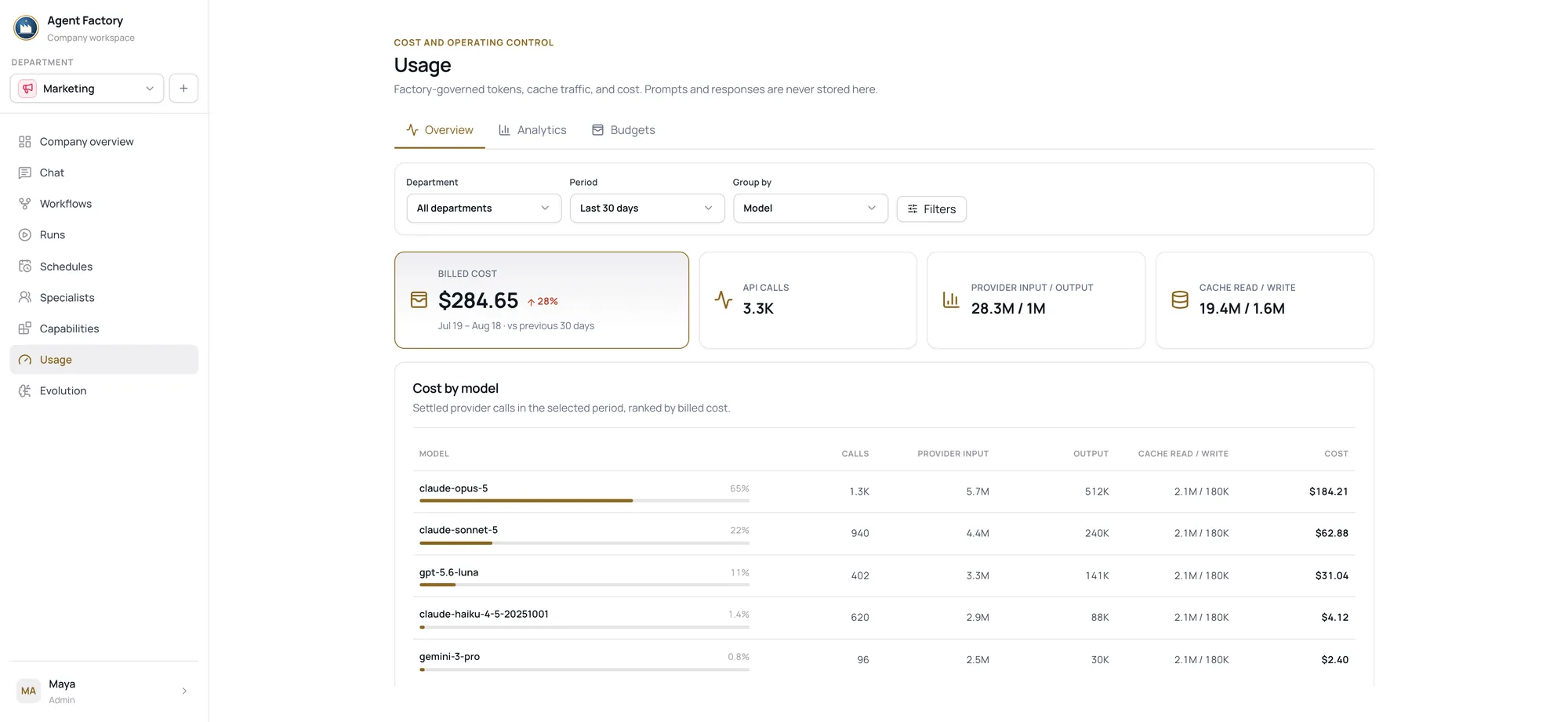
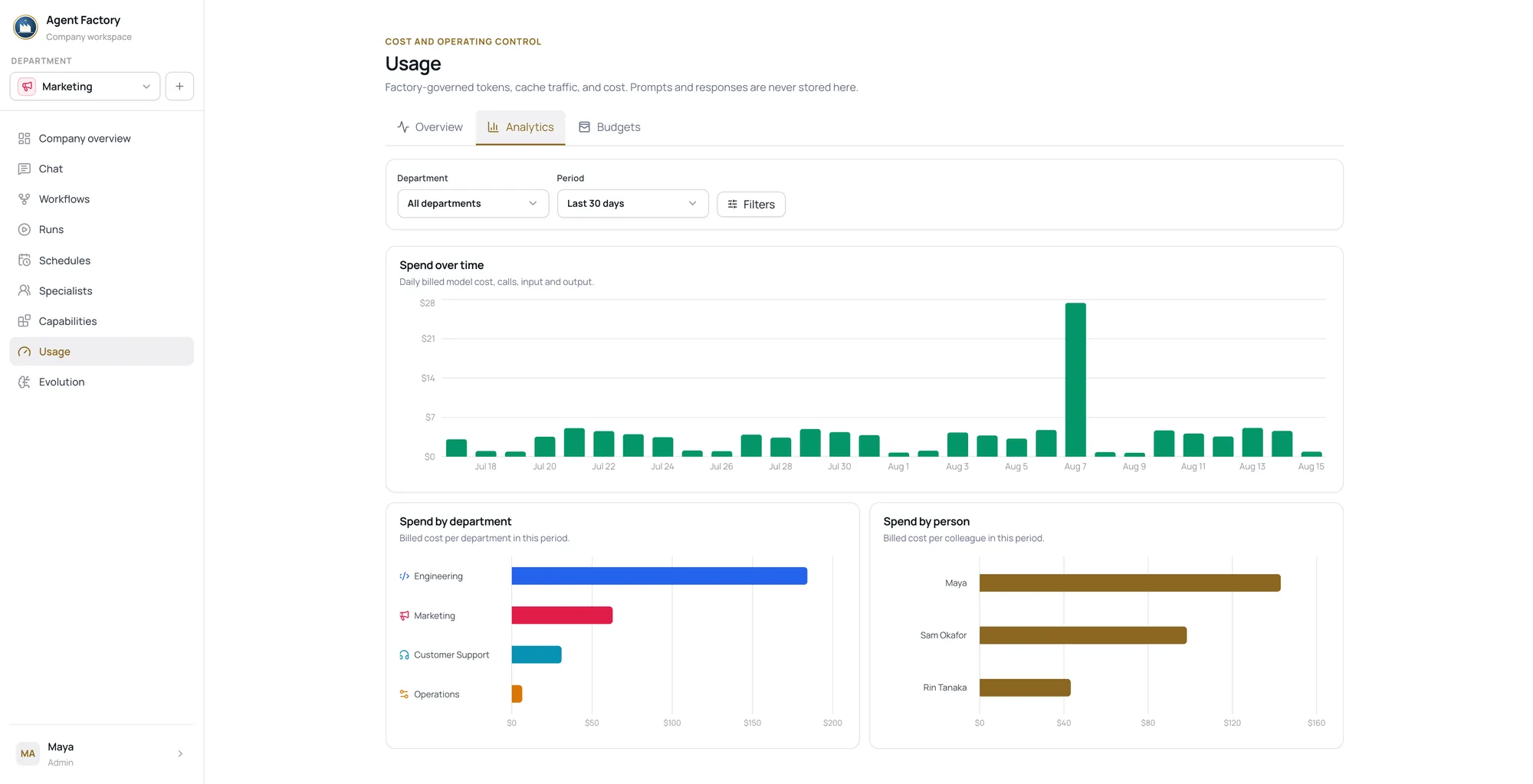
Every governed model call is recorded against a department, a person, a provider and a model — with cache traffic and reserved cost separated out. Prompts and responses are never stored in the usage record.
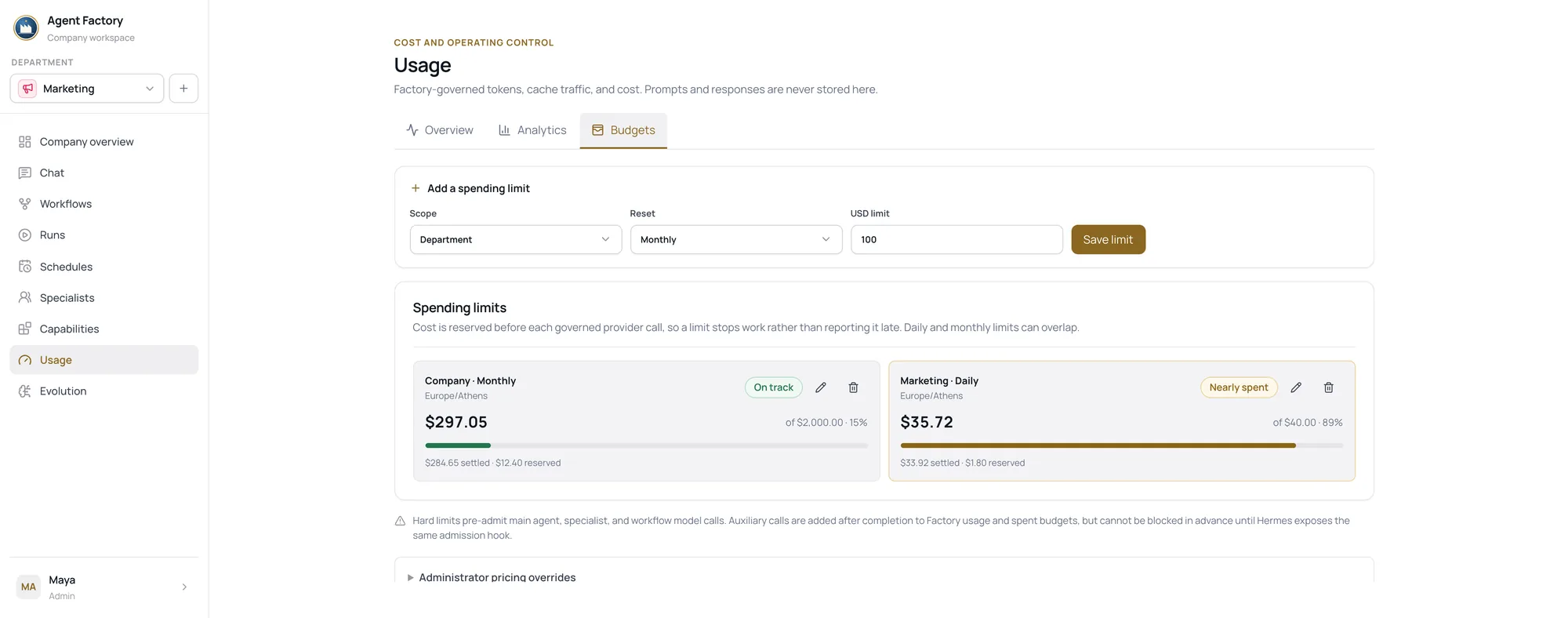
Daily and monthly limits are checked atomically before the call reaches the provider. A department that has spent its day is stopped, not invoiced. Members see themselves, managers see their departments, administrators can look company-wide.
- Before the call — admission, not reconciliation
- Per department and per user — either can carry a limit
- Unknown prices — reportable, but need an override before a hard cap is honest
Sheet 01 · General arrangement
Deployed on infrastructure you control.
Agent Factory is yours to run. Your records, your providers, your infrastructure — and what a department retained or failed at is something you look up rather than ask someone for.
Records you hold
Your company records live in PostgreSQL. Runtime profiles, transcripts, connected-account tokens and execution state are held alongside them, all of it deployed under infrastructure you control.
A boundary you can describe
Connected providers and approved MCP servers receive the context required for authorized work. Sandbox network access depends on deployment configuration.
Failures that stay visible
A run that fails stays on the record with what failed and where. Nothing retries on its own — you look at it, change the request, and run it again.
Questions
The ones we get asked first.
What can a department actually do?
Research, writing, analysis and published files. Additional spreadsheet, slide, code and pull-request capabilities depend on the skills you enable, on the sandbox, and on the connections that department has.
Does it work while my laptop is closed?
Agent Factory runs on its server. Gateway messages and scheduled tasks can run without your laptop, assuming the deployment and the services it depends on stay available.
What does it remember?
Personal preferences are scoped to your own account. A department can also retain explicit shared memory and reusable skills, which you can inspect through the Evolution workspace. Managers manage the department's reusable skills from Capabilities.
Which tools can it access?
Only the supported integrations and approved MCP tools configured for that user and that deployment — GitHub, Figma, Slack, Microsoft Teams and custom MCP servers on your allow list. It does not provide arbitrary browser automation.
How is company data controlled?
Agent Factory is self-hosted, but authorized providers, integrations and network-enabled sandboxes receive the working data they need to do the job. Administrators configure permissions, egress and DLP appropriate to their environment.
Where does code actually run?
In a server-side sandbox attached to an interactive chat. It does not mount the host filesystem and is removed when the turn ends, so anything worth keeping has to be published. Sandbox-backed execution is not available to published workflows.
Will it do things without asking me?
In a chat it answers what you asked. In a workflow you decide where the input and approval nodes go, and the run holds at one until a person decides. Schedules run the version you published, on the times you set.
What happens when a file or a run fails?
A file that fails validation is refused and reported rather than delivered. A failed run stays on the record with what failed and where. There is no automatic retry — you look at it, change the request, and run it again.
Can I put a ceiling on what it spends?
Governed model calls are tracked by department, person, provider and model, and administrators can configure daily or monthly limits where reliable pricing is available for the models in use.
Do I need to be technical to use it?
Day to day you write requests and read what comes back. Standing the deployment up, connecting the company and setting permissions is a job for whoever looks after your infrastructure.
Map your first department.
Tell us what work one team does today. We'll map it to a department: its instructions, the specialists it needs, and the connections that work would depend on.
We'll also be straight with you about which parts need an enabled skill, a sandbox or a connection you don't have yet.
Or write to us directlycontact@joebasset.com